

Download Pandoc – Convert Documents with Ease
Overview
Pandoc is a command-line tool built on a Haskell library, designed to convert documents between a wide variety of formats. Its primary purpose is to streamline the transformation of text files from one standard to another, supporting workflows across academic, technical, and publishing environments. By acting as a universal document converter, Pandoc helps users overcome format incompatibilities, especially when transferring content between markdown, LaTeX, HTML, and PDF documents. The app is particularly useful for researchers, writers, and developers who frequently switch between documentation formats and require reliable, automated conversion tools.
Target users include technical authors, academic professionals, software developers, and content creators who rely on structured documentation. The tool’s ability to preserve structural elements like headings, lists, and hyperlinks makes it ideal for converting complex reports, research papers, or technical manuals without losing organizational integrity. Although the developer did not provide additional technical details, Pandoc is known in the open-source community for its robustness and extensibility. Its role in the broader document processing ecosystem is significant, serving as a foundational utility in automated publishing pipelines and version-controlled documentation systems.
Real-world use cases include batch processing of documentation, integration into CI/CD workflows, and generating consistent output across multiple platforms. The tool’s modular design enables customization, allowing advanced users to extend its capabilities. While Pandoc does not offer a graphical interface, its command-line nature ensures high performance and scriptability, making it a trusted solution for users prioritizing automation and precision.
Key Features & Functionality
- Wide Format Support: Pandoc supports over 40 input and output formats, including Markdown, LaTeX, HTML, PDF, Word (.docx), EPUB, and more. This extensive compatibility allows users to convert files across different ecosystems without manual reformatting.
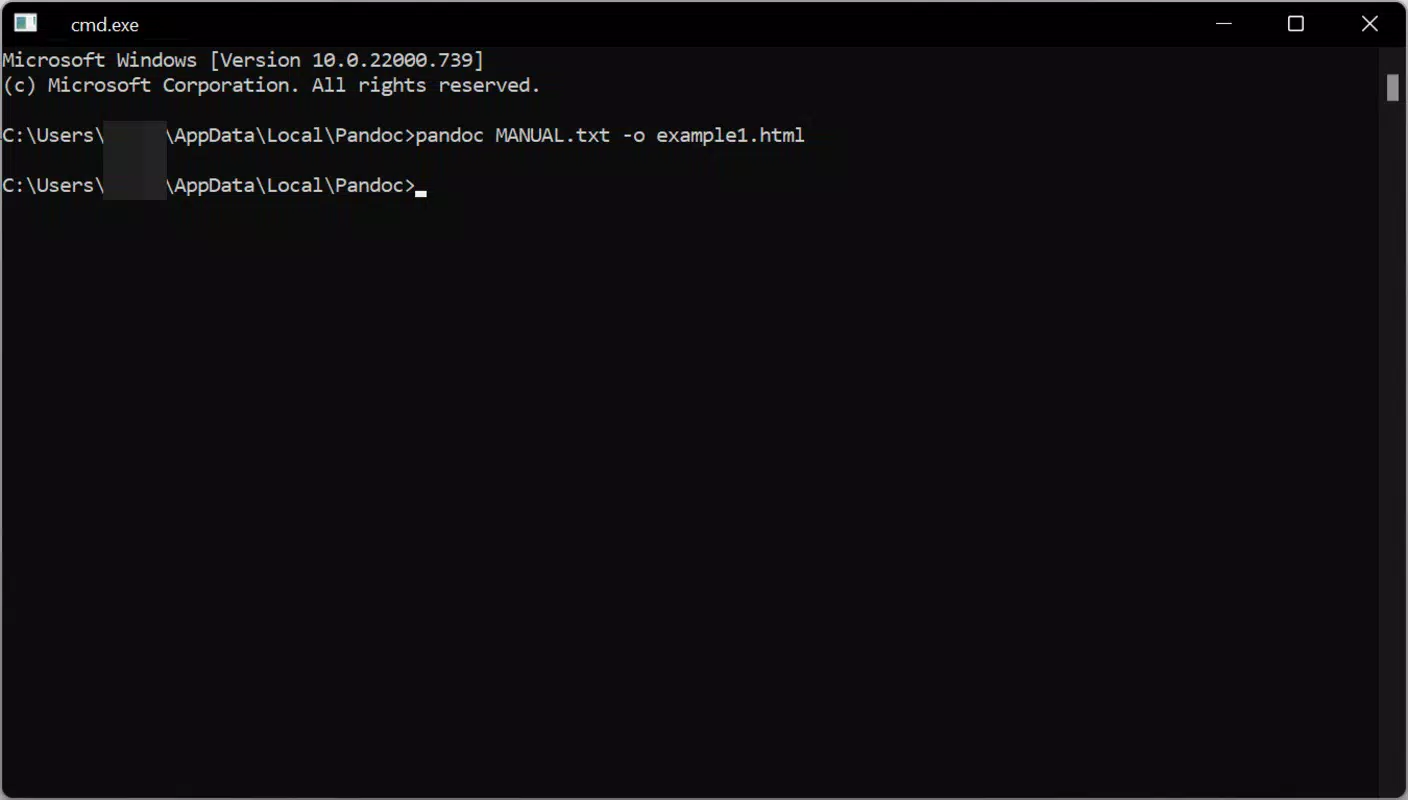
- Command Line Interface: The tool operates entirely via the command line, enabling efficient, repeatable conversions. Simple commands like
pandoc input.md -o output.pdfallow users to process files quickly and integrate them into automation scripts. - Structural Preservation: Pandoc maintains core document structure during conversion, including headings, lists, tables, and cross-references. While minor formatting adjustments may occur, the logical organization of content remains intact.
- Modular Architecture: Built with a Haskell-based modular design, Pandoc allows for the development of custom readers and writers. This flexibility supports niche use cases and evolving document standards.
- Comprehensive Documentation: The tool comes with detailed guides and examples, helping users navigate its full range of options. This resource is especially valuable for newcomers seeking to understand complex conversion workflows.
For example, a researcher can convert a markdown-formatted paper into LaTeX for journal submission, then generate a PDF for sharing. A developer might use Pandoc in a script to convert API documentation from Markdown into HTML for a website. These use cases highlight Pandoc’s value in real-world productivity workflows.
Interface, UX & Performance
Pandoc operates exclusively through the command line, meaning there is no graphical user interface (GUI). This design choice prioritizes efficiency and automation over visual accessibility. Users interact with the tool via terminal commands, which may present a learning curve for those unfamiliar with command-line environments. However, the consistent syntax and predictable behavior reduce errors in repeated operations.
The interface is minimal and focused, with no distractions—ideal for users who value speed and control. Navigation is not applicable in the traditional sense, as the tool processes files based on input parameters rather than interactive menus. Responsiveness depends on the system’s processing power and the complexity of the document, but the tool is optimized for performance on modern devices.
Although the developer did not list formal performance metrics, Pandoc is widely used in high-throughput environments, suggesting reliable stability under regular use. It handles large documents efficiently and maintains consistency across multiple conversion runs. The absence of a GUI may limit usability for casual users, but it enhances reliability and scriptability for technical audiences.
Platform Compatibility & Technical Requirements
Pandoc is available for multiple platforms, including Android and iOS, though specific OS versions and compatibility details were not provided. The app’s file size is listed as 12.4 MB, indicating a lightweight footprint suitable for mobile deployment. The current software version is 2.18.1, and the release date is March 17, 2025.
The developer did not specify minimum OS requirements or device compatibility. Users should ensure their device meets the general standards for running command-line tools on mobile platforms. While the tool is designed for mobile use, the command-line interface may require additional setup or terminal applications to function optimally.
Pros and Cons
Pros
- Supports over 40 document formats for flexible conversion
- Preserves core document structure during format changes
- Efficient and scriptable via command line
- Modular design enables customization and extension
- Lightweight file size of 12.4 MB
Cons
- No graphical user interface available
- Command-line interface may be challenging for non-technical users
- Specific OS requirements were not disclosed
- Some formatting may be altered in complex documents
- Requires terminal access for full functionality on mobile devices
FAQ
Is Pandoc safe to download and use?
Pandoc is a well-established open-source tool with a strong reputation for security and reliability. It does not require elevated permissions and operates locally on the device, minimizing data exposure.
Can I use Pandoc on both Android and iOS?
Yes, Pandoc is available for both Android and iOS platforms. However, users may need a terminal emulator app to access the command-line interface on mobile devices.
Does Pandoc require internet access?
No, Pandoc operates entirely offline once installed. It does not need an internet connection to perform conversions.
How do I update Pandoc to the latest version?
Updates are typically managed through the app store or package manager. The current version is 2.18.1, released on March 17, 2025.
Is Pandoc free to use?
Yes, Pandoc is available at no cost. It is distributed under an open-source license, allowing free use, modification, and distribution.
Final Thoughts
Pandoc stands out as a powerful, lightweight utility for users who need reliable document conversion on mobile devices. While its command-line interface may not appeal to all users, it offers unmatched flexibility and efficiency for technical professionals, researchers, and developers. The tool’s ability to preserve document structure, support diverse formats, and integrate into automated workflows makes it a valuable asset in modern content creation.
For those comfortable with terminal commands, Pandoc delivers significant productivity gains. It is especially beneficial for anyone managing documentation across multiple formats or automating publishing tasks. Its lightweight design and robust functionality ensure it performs well even on constrained mobile environments.
Download Pandoc now


